Content Studio
Template engine and internal composition system
"A small code-based content operating system that lets you create, render in an isolated iframe, and export carousels and images without leaving the client."
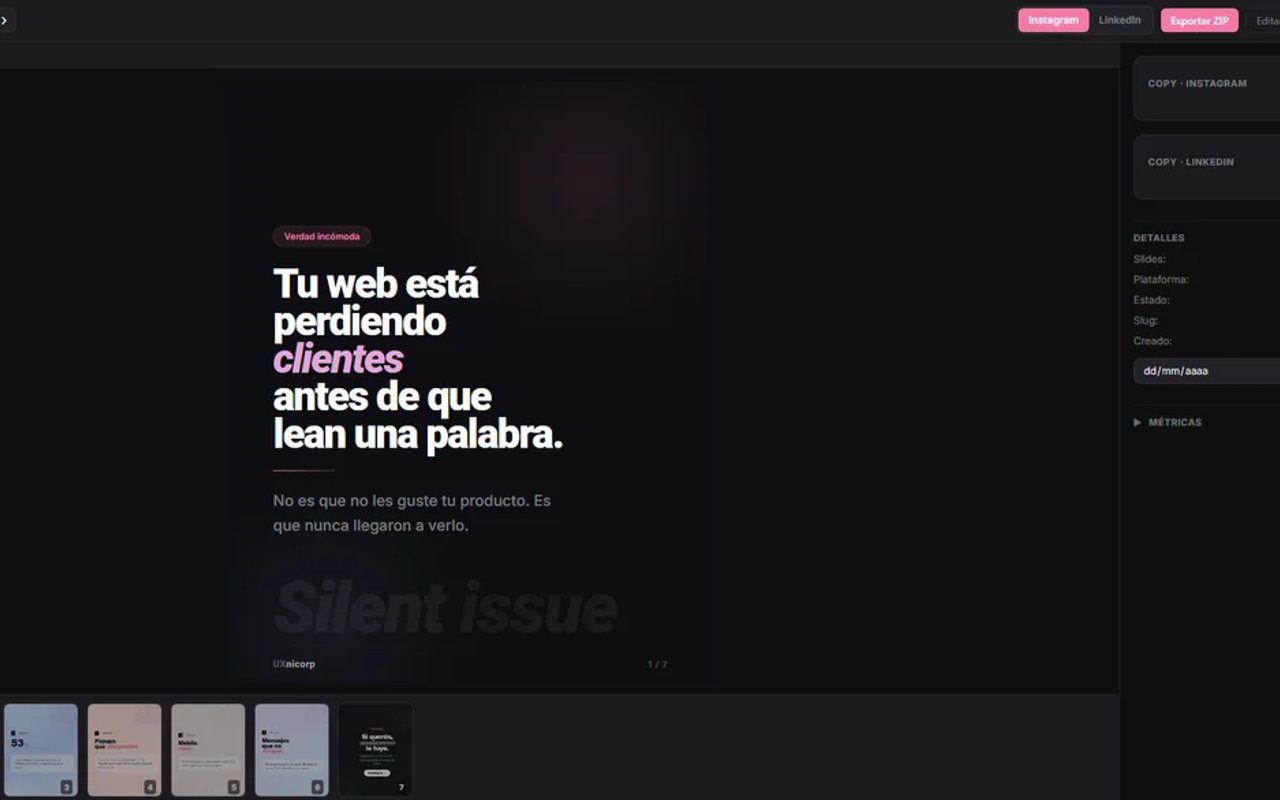
The starting point of the challenge
Digging beneath the surface: What did I investigate?
I analyzed tools like Canva, Buffer, Later, Figma, visual HTML editors, and template systems. I detected that design wasn't truly reusable: the tools reused "slides," not systems. Duplicating required manual intervention. Visual content and copy were separated, fragmenting the creative flow. Templates were extremely rigid, limiting validation, typing, or automatic data-driven form generation. And the tools prioritized non-technical users, limiting fine control over layout, CSS, and export. I understood that the real problem wasn't "creating images" — it was building a system capable of producing consistent content without constantly redoing work.
"The core insight was that scalable content works very similarly to software. Design had to be parameterizable, layouts reusable, content structured, and the system had to understand variables and presets. I realized that Canva solves one-off creation but not systematic production. Buffer solves scheduling but not visual creation. And Figma solves design but not automated export. The tool we needed didn't exist in any of those categories. It was at the intersection of all three."
Understanding this pillar completely transformed the tactical direction of the project, allowing unnecessary noise to be filtered out and focusing on strict value.
Tradeoff Analysis: options on the table
Building custom software requires honestly evaluating scenarios. No architecture is perfect — every decision has a price:
Keep using Canva + scattered tools
Advantage: no development cost. Disadvantage: duplicated work, visual inconsistency, no performance traceability or real reusability.
Pure visual editor (internal Canva-like)
Advantage: simpler UX for non-technical users. Disadvantage: very hard to achieve real reusability and fine control over layouts and CSS.
Typed templates + HTML/CSS rendering + code editor
Advantage: maximum flexibility, real reusability, absolute control over rendering and export. Disadvantage: more complex architecture to build and maintain.
The Decision: The path chosen
WHAT ACTUALLY WORKED
The template system was a resounding success, transforming static layouts into fully configurable structures. The fluid blend between visual editor and code delivered excellent creative speed with absolute technical control. The export pipeline was extremely precise, completely eliminating the typical problems of inconsistent rendering between preview and download. The slide system made creating carousels natural, and the typed templates prevented configuration errors that were previously common.
LIMITATIONS & TRADE-OFFS
The initial bundle was extremely heavy due to Monaco Editor and the rendering libraries, which was acceptable for an internal tool but would require code splitting for public use. HTML/CSS parsing through html-to-image is fragile on certain mobile or restrictive browsers. SQLite as preset storage limited growth and real multi-user collaboration. And the system lacked native authentication as it was for internal use, which prevented any remote scenario.
FROM GONZALO'S PERSONAL LOGBOOK: WHAT WOULD I DO DIFFERENTLY TODAY?
"I would separate the rendering engine more clearly from the visual editor to build a fully decoupled core with plugins and adapters. I would implement a hybrid rendering solution: keeping client-side export for speed, but adding optional support with Puppeteer and backend queues for low-resource devices. I would scale the database to PostgreSQL and implement authentication to open the tool to multiple remote users. And I would improve the real-time preview system so code changes are reflected instantly without losing form state."
Retrospective note after launch